
We’re constantly making improvements to our Live Show experience based on feedback from both buyers and sellers. Here are five updates we’ve made these past few months:
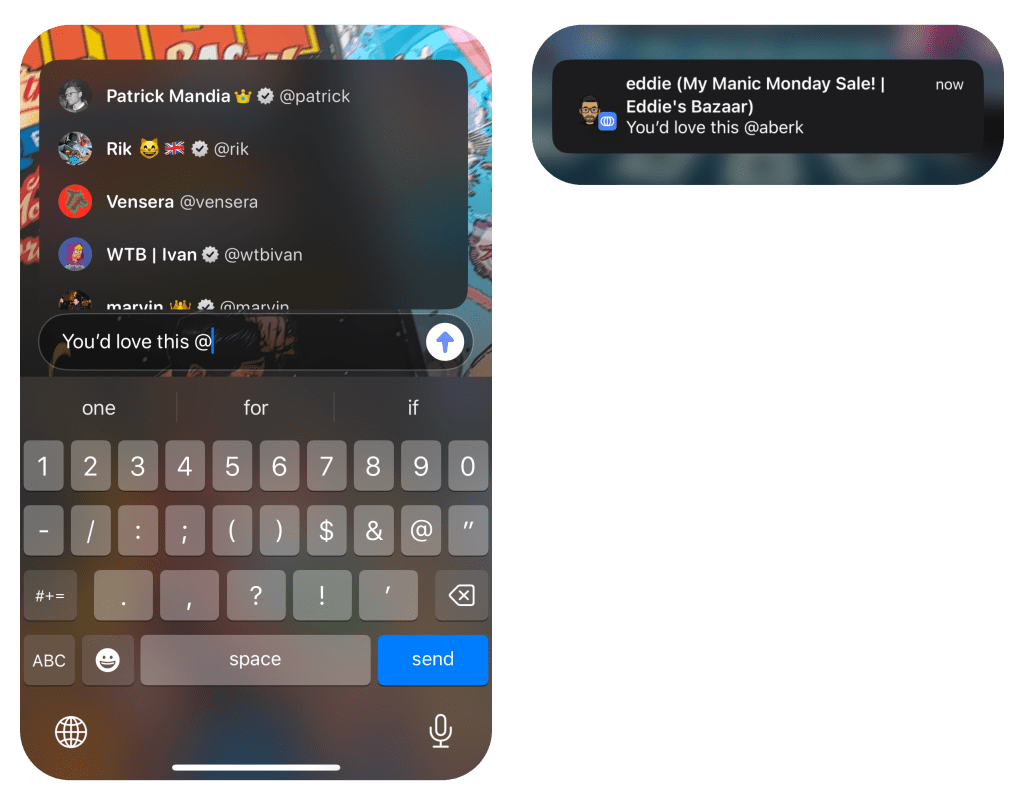
1. Tagging Friends with MentionS
See something your friend would like or just want them to join the party? Tag them during a live show using the mention feature by typing ‘@’ followed by their username and tapping the user.
2. View Chat History
Join the Live Show late? You can now scroll the chat during a Live Show to catch up on the past conversation.
3. Co-Host and Sell Together
Invite another seller to co-host the Live Show with you. They’ll be able to bring their own items to the Live Store and sell during the show alongside you! You can learn more how it works here.
4. Live Sale Sound Effects
New sound effects are enabled in Live Shows. You’ll hear them:
- When a Live Auction is about to end
- When a Buy Now item in the Live Store sells
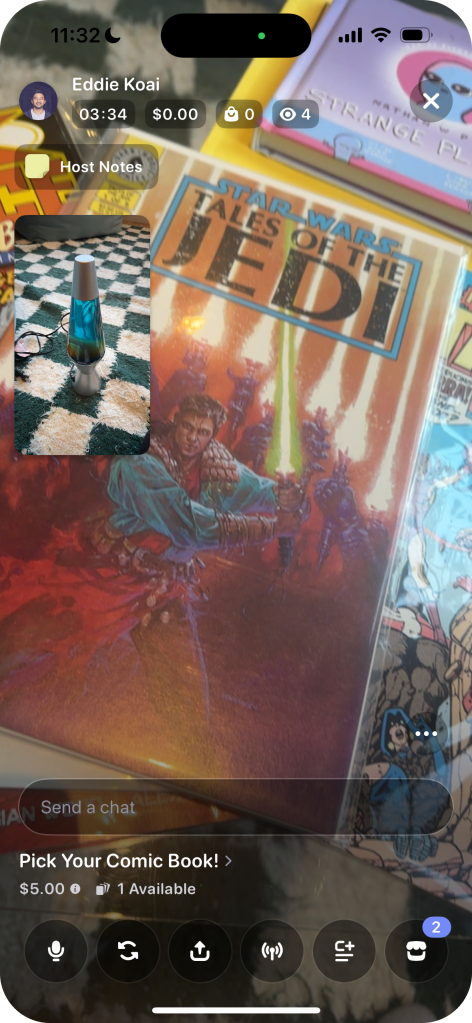
Sound effects can be turned on or off by tapping the ellipse button and using the Play Sound Effects toggle.

5. Adding Live Host Notes
Outline the rules and guidelines of your Live Show by adding Host Notes directly onto the screen.

 Blog
Blog 